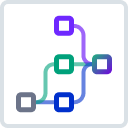
Route requests to different targets based on the authenticated callerv3.14+
Map an authenticated credential to a host:port target and override the backend per request, bypassing load balancing.
This example works together with the OpenID Connect plugin, which validates a bearer token and extracts a token claim (such as client_id) as a virtual credential.
Datakit then reads that credential and uses its value to select a host:port target.
Unlike routing to a named Upstream entity, writing to kong.service.target bypasses load balancing, health checks, and retries.
Use this approach for stable single-host backends where you don’t need a pool.
This example contains the following nodes:
GET_CREDENTIALreads thekong.client.credentialobject that the OpenID Connect plugin populated.PICK_TARGETuses a jq map to look up the credential’s.idfield and return an object containing both thehost:portaddress and the scheme. Unknown callers fall through to a default backend.EXTRACT_TARGETextracts the.targetfield from thePICK_TARGEToutput.SET_TARGETwrites the extractedhost:portstring tokong.service.target, overriding the backend for this request.EXTRACT_SCHEMEextracts the.schemefield from thePICK_TARGEToutput.SET_SCHEMEwrites the extracted scheme tokong.service.request.scheme, ensuring Kong uses the correct protocol when connecting.
For a complete tutorial, see Route requests to different targets based on the authenticated caller.
Note: The OpenID Connect plugin has a higher static priority than Datakit, so it always runs first in the
accessphase. No explicit plugin ordering configuration is required.
Prerequisites
- You have configured the OpenID Connect plugin with
credential_claimpointing to a token claim (such asclient_id) andconsumer_optional: true.
Add this section to your kong.yaml configuration file:
_format_version: "3.0"
plugins:
  - name: datakit
    config:
      nodes:
      - name: GET_CREDENTIAL
        type: property
        property: kong.client.credential
      - name: PICK_TARGET
        type: jq
        input: GET_CREDENTIAL
        jq: |
          {
            "caller-a": {"target": "backend-a.example:443", "scheme": "https"},
            "caller-b": {"target": "backend-b.example:443", "scheme": "https"}
          }[.id] // {"target": "default.example:443", "scheme": "https"}
      - name: EXTRACT_TARGET
        type: jq
        input: PICK_TARGET
        jq: ".target"
      - name: SET_TARGET
        type: property
        property: kong.service.target
        input: EXTRACT_TARGET
      - name: EXTRACT_SCHEME
        type: jq
        input: PICK_TARGET
        jq: ".scheme"
      - name: SET_SCHEME
        type: property
        property: kong.service.request.scheme
        input: EXTRACT_SCHEME
Make the following request:
curl -i -X POST http://localhost:8001/plugins/ \
    --header "Accept: application/json" \
    --header "Content-Type: application/json" \
    --data '
    {
      "name": "datakit",
      "config": {
        "nodes": [
          {
            "name": "GET_CREDENTIAL",
            "type": "property",
            "property": "kong.client.credential"
          },
          {
            "name": "PICK_TARGET",
            "type": "jq",
            "input": "GET_CREDENTIAL",
            "jq": "{\n  \"caller-a\": {\"target\": \"backend-a.example:443\", \"scheme\": \"https\"},\n  \"caller-b\": {\"target\": \"backend-b.example:443\", \"scheme\": \"https\"}\n}[.id] // {\"target\": \"default.example:443\", \"scheme\": \"https\"}\n"
          },
          {
            "name": "EXTRACT_TARGET",
            "type": "jq",
            "input": "PICK_TARGET",
            "jq": ".target"
          },
          {
            "name": "SET_TARGET",
            "type": "property",
            "property": "kong.service.target",
            "input": "EXTRACT_TARGET"
          },
          {
            "name": "EXTRACT_SCHEME",
            "type": "jq",
            "input": "PICK_TARGET",
            "jq": ".scheme"
          },
          {
            "name": "SET_SCHEME",
            "type": "property",
            "property": "kong.service.request.scheme",
            "input": "EXTRACT_SCHEME"
          }
        ]
      }
    }
'Make the following request:
curl -X POST https://{region}.api.konghq.com/v2/control-planes/{controlPlaneId}/core-entities/plugins/ \
    --header "accept: application/json" \
    --header "Content-Type: application/json" \
    --header "Authorization: Bearer $KONNECT_TOKEN" \
    --data '
    {
      "name": "datakit",
      "config": {
        "nodes": [
          {
            "name": "GET_CREDENTIAL",
            "type": "property",
            "property": "kong.client.credential"
          },
          {
            "name": "PICK_TARGET",
            "type": "jq",
            "input": "GET_CREDENTIAL",
            "jq": "{\n  \"caller-a\": {\"target\": \"backend-a.example:443\", \"scheme\": \"https\"},\n  \"caller-b\": {\"target\": \"backend-b.example:443\", \"scheme\": \"https\"}\n}[.id] // {\"target\": \"default.example:443\", \"scheme\": \"https\"}\n"
          },
          {
            "name": "EXTRACT_TARGET",
            "type": "jq",
            "input": "PICK_TARGET",
            "jq": ".target"
          },
          {
            "name": "SET_TARGET",
            "type": "property",
            "property": "kong.service.target",
            "input": "EXTRACT_TARGET"
          },
          {
            "name": "EXTRACT_SCHEME",
            "type": "jq",
            "input": "PICK_TARGET",
            "jq": ".scheme"
          },
          {
            "name": "SET_SCHEME",
            "type": "property",
            "property": "kong.service.request.scheme",
            "input": "EXTRACT_SCHEME"
          }
        ]
      }
    }
'Make sure to replace the following placeholders with your own values:
-
region: Geographic region where your Kong Konnect is hosted and operates. -
KONNECT_TOKEN: Your Personal Access Token (PAT) associated with your Konnect account. -
controlPlaneId: Theidof the control plane.
See the Konnect Control Planes Config API reference to learn about region-specific URLs and personal access tokens.
echo "
apiVersion: configuration.konghq.com/v1
kind: KongClusterPlugin
metadata:
  name: datakit
  namespace: kong
  annotations:
    kubernetes.io/ingress.class: kong
  labels:
    global: 'true'
config:
  nodes:
  - name: GET_CREDENTIAL
    type: property
    property: kong.client.credential
  - name: PICK_TARGET
    type: jq
    input: GET_CREDENTIAL
    jq: |
      {
        'caller-a': {'target': 'backend-a.example:443', 'scheme': 'https'},
        'caller-b': {'target': 'backend-b.example:443', 'scheme': 'https'}
      }[.id] // {'target': 'default.example:443', 'scheme': 'https'}
  - name: EXTRACT_TARGET
    type: jq
    input: PICK_TARGET
    jq: '.target'
  - name: SET_TARGET
    type: property
    property: kong.service.target
    input: EXTRACT_TARGET
  - name: EXTRACT_SCHEME
    type: jq
    input: PICK_TARGET
    jq: '.scheme'
  - name: SET_SCHEME
    type: property
    property: kong.service.request.scheme
    input: EXTRACT_SCHEME
plugin: datakit
" | kubectl apply -f -Prerequisite: Configure your Personal Access Token
terraform {
  required_providers {
    konnect = {
      source  = "kong/konnect"
    }
  }
}

provider "konnect" {
  personal_access_token = "$KONNECT_TOKEN"
  server_url            = "https://us.api.konghq.com/"
}Add the following to your Terraform configuration to create a Konnect Gateway Plugin:
resource "konnect_gateway_plugin_datakit" "my_datakit" {
  enabled = true

  config = {
    nodes = [
      {
        name = "GET_CREDENTIAL"
        type = "property"
        property = "kong.client.credential"
      },

      {
        name = "PICK_TARGET"
        type = "jq"
        input = "GET_CREDENTIAL"
        jq = <<EOF
{
  "caller-a": {"target": "backend-a.example:443", "scheme": "https"},
  "caller-b": {"target": "backend-b.example:443", "scheme": "https"}
}[.id] // {"target": "default.example:443", "scheme": "https"}
EOF
      },

      {
        name = "EXTRACT_TARGET"
        type = "jq"
        input = "PICK_TARGET"
        jq = ".target"
      },

      {
        name = "SET_TARGET"
        type = "property"
        property = "kong.service.target"
        input = "EXTRACT_TARGET"
      },

      {
        name = "EXTRACT_SCHEME"
        type = "jq"
        input = "PICK_TARGET"
        jq = ".scheme"
      },

      {
        name = "SET_SCHEME"
        type = "property"
        property = "kong.service.request.scheme"
        input = "EXTRACT_SCHEME"
      }    ]
  }

  control_plane_id = konnect_gateway_control_plane.my_konnect_cp.id
}Add this section to your kong.yaml configuration file:
_format_version: "3.0"
plugins:
  - name: datakit
    service: serviceName|Id
    config:
      nodes:
      - name: GET_CREDENTIAL
        type: property
        property: kong.client.credential
      - name: PICK_TARGET
        type: jq
        input: GET_CREDENTIAL
        jq: |
          {
            "caller-a": {"target": "backend-a.example:443", "scheme": "https"},
            "caller-b": {"target": "backend-b.example:443", "scheme": "https"}
          }[.id] // {"target": "default.example:443", "scheme": "https"}
      - name: EXTRACT_TARGET
        type: jq
        input: PICK_TARGET
        jq: ".target"
      - name: SET_TARGET
        type: property
        property: kong.service.target
        input: EXTRACT_TARGET
      - name: EXTRACT_SCHEME
        type: jq
        input: PICK_TARGET
        jq: ".scheme"
      - name: SET_SCHEME
        type: property
        property: kong.service.request.scheme
        input: EXTRACT_SCHEME
Make sure to replace the following placeholders with your own values:
serviceName|Id: Theidornameof the service the plugin configuration will target.
Make the following request:
curl -i -X POST http://localhost:8001/services/{serviceName|Id}/plugins/ \
    --header "Accept: application/json" \
    --header "Content-Type: application/json" \
    --data '
    {
      "name": "datakit",
      "config": {
        "nodes": [
          {
            "name": "GET_CREDENTIAL",
            "type": "property",
            "property": "kong.client.credential"
          },
          {
            "name": "PICK_TARGET",
            "type": "jq",
            "input": "GET_CREDENTIAL",
            "jq": "{\n  \"caller-a\": {\"target\": \"backend-a.example:443\", \"scheme\": \"https\"},\n  \"caller-b\": {\"target\": \"backend-b.example:443\", \"scheme\": \"https\"}\n}[.id] // {\"target\": \"default.example:443\", \"scheme\": \"https\"}\n"
          },
          {
            "name": "EXTRACT_TARGET",
            "type": "jq",
            "input": "PICK_TARGET",
            "jq": ".target"
          },
          {
            "name": "SET_TARGET",
            "type": "property",
            "property": "kong.service.target",
            "input": "EXTRACT_TARGET"
          },
          {
            "name": "EXTRACT_SCHEME",
            "type": "jq",
            "input": "PICK_TARGET",
            "jq": ".scheme"
          },
          {
            "name": "SET_SCHEME",
            "type": "property",
            "property": "kong.service.request.scheme",
            "input": "EXTRACT_SCHEME"
          }
        ]
      }
    }
'Make sure to replace the following placeholders with your own values:
serviceName|Id: Theidornameof the service the plugin configuration will target.
Make the following request:
curl -X POST https://{region}.api.konghq.com/v2/control-planes/{controlPlaneId}/core-entities/services/{serviceId}/plugins/ \
    --header "accept: application/json" \
    --header "Content-Type: application/json" \
    --header "Authorization: Bearer $KONNECT_TOKEN" \
    --data '
    {
      "name": "datakit",
      "config": {
        "nodes": [
          {
            "name": "GET_CREDENTIAL",
            "type": "property",
            "property": "kong.client.credential"
          },
          {
            "name": "PICK_TARGET",
            "type": "jq",
            "input": "GET_CREDENTIAL",
            "jq": "{\n  \"caller-a\": {\"target\": \"backend-a.example:443\", \"scheme\": \"https\"},\n  \"caller-b\": {\"target\": \"backend-b.example:443\", \"scheme\": \"https\"}\n}[.id] // {\"target\": \"default.example:443\", \"scheme\": \"https\"}\n"
          },
          {
            "name": "EXTRACT_TARGET",
            "type": "jq",
            "input": "PICK_TARGET",
            "jq": ".target"
          },
          {
            "name": "SET_TARGET",
            "type": "property",
            "property": "kong.service.target",
            "input": "EXTRACT_TARGET"
          },
          {
            "name": "EXTRACT_SCHEME",
            "type": "jq",
            "input": "PICK_TARGET",
            "jq": ".scheme"
          },
          {
            "name": "SET_SCHEME",
            "type": "property",
            "property": "kong.service.request.scheme",
            "input": "EXTRACT_SCHEME"
          }
        ]
      }
    }
'Make sure to replace the following placeholders with your own values:
-
region: Geographic region where your Kong Konnect is hosted and operates. -
KONNECT_TOKEN: Your Personal Access Token (PAT) associated with your Konnect account. -
controlPlaneId: Theidof the control plane. -
serviceId: Theidof the service the plugin configuration will target.
See the Konnect Control Planes Config API reference to learn about region-specific URLs and personal access tokens.
echo "
apiVersion: configuration.konghq.com/v1
kind: KongPlugin
metadata:
  name: datakit
  namespace: kong
  annotations:
    kubernetes.io/ingress.class: kong
config:
  nodes:
  - name: GET_CREDENTIAL
    type: property
    property: kong.client.credential
  - name: PICK_TARGET
    type: jq
    input: GET_CREDENTIAL
    jq: |
      {
        'caller-a': {'target': 'backend-a.example:443', 'scheme': 'https'},
        'caller-b': {'target': 'backend-b.example:443', 'scheme': 'https'}
      }[.id] // {'target': 'default.example:443', 'scheme': 'https'}
  - name: EXTRACT_TARGET
    type: jq
    input: PICK_TARGET
    jq: '.target'
  - name: SET_TARGET
    type: property
    property: kong.service.target
    input: EXTRACT_TARGET
  - name: EXTRACT_SCHEME
    type: jq
    input: PICK_TARGET
    jq: '.scheme'
  - name: SET_SCHEME
    type: property
    property: kong.service.request.scheme
    input: EXTRACT_SCHEME
plugin: datakit
" | kubectl apply -f -Next, apply the KongPlugin resource by annotating the service resource:
kubectl annotate -n kong service SERVICE_NAME konghq.com/plugins=datakitPrerequisite: Configure your Personal Access Token
terraform {
  required_providers {
    konnect = {
      source  = "kong/konnect"
    }
  }
}

provider "konnect" {
  personal_access_token = "$KONNECT_TOKEN"
  server_url            = "https://us.api.konghq.com/"
}Add the following to your Terraform configuration to create a Konnect Gateway Plugin:
resource "konnect_gateway_plugin_datakit" "my_datakit" {
  enabled = true

  config = {
    nodes = [
      {
        name = "GET_CREDENTIAL"
        type = "property"
        property = "kong.client.credential"
      },

      {
        name = "PICK_TARGET"
        type = "jq"
        input = "GET_CREDENTIAL"
        jq = <<EOF
{
  "caller-a": {"target": "backend-a.example:443", "scheme": "https"},
  "caller-b": {"target": "backend-b.example:443", "scheme": "https"}
}[.id] // {"target": "default.example:443", "scheme": "https"}
EOF
      },

      {
        name = "EXTRACT_TARGET"
        type = "jq"
        input = "PICK_TARGET"
        jq = ".target"
      },

      {
        name = "SET_TARGET"
        type = "property"
        property = "kong.service.target"
        input = "EXTRACT_TARGET"
      },

      {
        name = "EXTRACT_SCHEME"
        type = "jq"
        input = "PICK_TARGET"
        jq = ".scheme"
      },

      {
        name = "SET_SCHEME"
        type = "property"
        property = "kong.service.request.scheme"
        input = "EXTRACT_SCHEME"
      }    ]
  }

  control_plane_id = konnect_gateway_control_plane.my_konnect_cp.id
  service = {
    id = konnect_gateway_service.my_service.id
  }
}Add this section to your kong.yaml configuration file:
_format_version: "3.0"
plugins:
  - name: datakit
    route: routeName|Id
    config:
      nodes:
      - name: GET_CREDENTIAL
        type: property
        property: kong.client.credential
      - name: PICK_TARGET
        type: jq
        input: GET_CREDENTIAL
        jq: |
          {
            "caller-a": {"target": "backend-a.example:443", "scheme": "https"},
            "caller-b": {"target": "backend-b.example:443", "scheme": "https"}
          }[.id] // {"target": "default.example:443", "scheme": "https"}
      - name: EXTRACT_TARGET
        type: jq
        input: PICK_TARGET
        jq: ".target"
      - name: SET_TARGET
        type: property
        property: kong.service.target
        input: EXTRACT_TARGET
      - name: EXTRACT_SCHEME
        type: jq
        input: PICK_TARGET
        jq: ".scheme"
      - name: SET_SCHEME
        type: property
        property: kong.service.request.scheme
        input: EXTRACT_SCHEME
Make sure to replace the following placeholders with your own values:
routeName|Id: Theidornameof the route the plugin configuration will target.
Make the following request:
curl -i -X POST http://localhost:8001/routes/{routeName|Id}/plugins/ \
    --header "Accept: application/json" \
    --header "Content-Type: application/json" \
    --data '
    {
      "name": "datakit",
      "config": {
        "nodes": [
          {
            "name": "GET_CREDENTIAL",
            "type": "property",
            "property": "kong.client.credential"
          },
          {
            "name": "PICK_TARGET",
            "type": "jq",
            "input": "GET_CREDENTIAL",
            "jq": "{\n  \"caller-a\": {\"target\": \"backend-a.example:443\", \"scheme\": \"https\"},\n  \"caller-b\": {\"target\": \"backend-b.example:443\", \"scheme\": \"https\"}\n}[.id] // {\"target\": \"default.example:443\", \"scheme\": \"https\"}\n"
          },
          {
            "name": "EXTRACT_TARGET",
            "type": "jq",
            "input": "PICK_TARGET",
            "jq": ".target"
          },
          {
            "name": "SET_TARGET",
            "type": "property",
            "property": "kong.service.target",
            "input": "EXTRACT_TARGET"
          },
          {
            "name": "EXTRACT_SCHEME",
            "type": "jq",
            "input": "PICK_TARGET",
            "jq": ".scheme"
          },
          {
            "name": "SET_SCHEME",
            "type": "property",
            "property": "kong.service.request.scheme",
            "input": "EXTRACT_SCHEME"
          }
        ]
      }
    }
'Make sure to replace the following placeholders with your own values:
routeName|Id: Theidornameof the route the plugin configuration will target.
Make the following request:
curl -X POST https://{region}.api.konghq.com/v2/control-planes/{controlPlaneId}/core-entities/routes/{routeId}/plugins/ \
    --header "accept: application/json" \
    --header "Content-Type: application/json" \
    --header "Authorization: Bearer $KONNECT_TOKEN" \
    --data '
    {
      "name": "datakit",
      "config": {
        "nodes": [
          {
            "name": "GET_CREDENTIAL",
            "type": "property",
            "property": "kong.client.credential"
          },
          {
            "name": "PICK_TARGET",
            "type": "jq",
            "input": "GET_CREDENTIAL",
            "jq": "{\n  \"caller-a\": {\"target\": \"backend-a.example:443\", \"scheme\": \"https\"},\n  \"caller-b\": {\"target\": \"backend-b.example:443\", \"scheme\": \"https\"}\n}[.id] // {\"target\": \"default.example:443\", \"scheme\": \"https\"}\n"
          },
          {
            "name": "EXTRACT_TARGET",
            "type": "jq",
            "input": "PICK_TARGET",
            "jq": ".target"
          },
          {
            "name": "SET_TARGET",
            "type": "property",
            "property": "kong.service.target",
            "input": "EXTRACT_TARGET"
          },
          {
            "name": "EXTRACT_SCHEME",
            "type": "jq",
            "input": "PICK_TARGET",
            "jq": ".scheme"
          },
          {
            "name": "SET_SCHEME",
            "type": "property",
            "property": "kong.service.request.scheme",
            "input": "EXTRACT_SCHEME"
          }
        ]
      }
    }
'Make sure to replace the following placeholders with your own values:
-
region: Geographic region where your Kong Konnect is hosted and operates. -
KONNECT_TOKEN: Your Personal Access Token (PAT) associated with your Konnect account. -
controlPlaneId: Theidof the control plane. -
routeId: Theidof the route the plugin configuration will target.
See the Konnect Control Planes Config API reference to learn about region-specific URLs and personal access tokens.
echo "
apiVersion: configuration.konghq.com/v1
kind: KongPlugin
metadata:
  name: datakit
  namespace: kong
  annotations:
    kubernetes.io/ingress.class: kong
config:
  nodes:
  - name: GET_CREDENTIAL
    type: property
    property: kong.client.credential
  - name: PICK_TARGET
    type: jq
    input: GET_CREDENTIAL
    jq: |
      {
        'caller-a': {'target': 'backend-a.example:443', 'scheme': 'https'},
        'caller-b': {'target': 'backend-b.example:443', 'scheme': 'https'}
      }[.id] // {'target': 'default.example:443', 'scheme': 'https'}
  - name: EXTRACT_TARGET
    type: jq
    input: PICK_TARGET
    jq: '.target'
  - name: SET_TARGET
    type: property
    property: kong.service.target
    input: EXTRACT_TARGET
  - name: EXTRACT_SCHEME
    type: jq
    input: PICK_TARGET
    jq: '.scheme'
  - name: SET_SCHEME
    type: property
    property: kong.service.request.scheme
    input: EXTRACT_SCHEME
plugin: datakit
" | kubectl apply -f -Next, apply the KongPlugin resource by annotating the httproute or ingress resource:
kubectl annotate -n kong httproute konghq.com/plugins=datakitkubectl annotate -n kong ingress konghq.com/plugins=datakitPrerequisite: Configure your Personal Access Token
terraform {
  required_providers {
    konnect = {
      source  = "kong/konnect"
    }
  }
}

provider "konnect" {
  personal_access_token = "$KONNECT_TOKEN"
  server_url            = "https://us.api.konghq.com/"
}Add the following to your Terraform configuration to create a Konnect Gateway Plugin:
resource "konnect_gateway_plugin_datakit" "my_datakit" {
  enabled = true

  config = {
    nodes = [
      {
        name = "GET_CREDENTIAL"
        type = "property"
        property = "kong.client.credential"
      },

      {
        name = "PICK_TARGET"
        type = "jq"
        input = "GET_CREDENTIAL"
        jq = <<EOF
{
  "caller-a": {"target": "backend-a.example:443", "scheme": "https"},
  "caller-b": {"target": "backend-b.example:443", "scheme": "https"}
}[.id] // {"target": "default.example:443", "scheme": "https"}
EOF
      },

      {
        name = "EXTRACT_TARGET"
        type = "jq"
        input = "PICK_TARGET"
        jq = ".target"
      },

      {
        name = "SET_TARGET"
        type = "property"
        property = "kong.service.target"
        input = "EXTRACT_TARGET"
      },

      {
        name = "EXTRACT_SCHEME"
        type = "jq"
        input = "PICK_TARGET"
        jq = ".scheme"
      },

      {
        name = "SET_SCHEME"
        type = "property"
        property = "kong.service.request.scheme"
        input = "EXTRACT_SCHEME"
      }    ]
  }

  control_plane_id = konnect_gateway_control_plane.my_konnect_cp.id
  route = {
    id = konnect_gateway_route.my_route.id
  }
}Add this section to your kong.yaml configuration file:
_format_version: "3.0"
plugins:
  - name: datakit
    consumer: consumerName|Id
    config:
      nodes:
      - name: GET_CREDENTIAL
        type: property
        property: kong.client.credential
      - name: PICK_TARGET
        type: jq
        input: GET_CREDENTIAL
        jq: |
          {
            "caller-a": {"target": "backend-a.example:443", "scheme": "https"},
            "caller-b": {"target": "backend-b.example:443", "scheme": "https"}
          }[.id] // {"target": "default.example:443", "scheme": "https"}
      - name: EXTRACT_TARGET
        type: jq
        input: PICK_TARGET
        jq: ".target"
      - name: SET_TARGET
        type: property
        property: kong.service.target
        input: EXTRACT_TARGET
      - name: EXTRACT_SCHEME
        type: jq
        input: PICK_TARGET
        jq: ".scheme"
      - name: SET_SCHEME
        type: property
        property: kong.service.request.scheme
        input: EXTRACT_SCHEME
Make sure to replace the following placeholders with your own values:
consumerName|Id: Theidornameof the consumer the plugin configuration will target.
Make the following request:
curl -i -X POST http://localhost:8001/consumers/{consumerName|Id}/plugins/ \
    --header "Accept: application/json" \
    --header "Content-Type: application/json" \
    --data '
    {
      "name": "datakit",
      "config": {
        "nodes": [
          {
            "name": "GET_CREDENTIAL",
            "type": "property",
            "property": "kong.client.credential"
          },
          {
            "name": "PICK_TARGET",
            "type": "jq",
            "input": "GET_CREDENTIAL",
            "jq": "{\n  \"caller-a\": {\"target\": \"backend-a.example:443\", \"scheme\": \"https\"},\n  \"caller-b\": {\"target\": \"backend-b.example:443\", \"scheme\": \"https\"}\n}[.id] // {\"target\": \"default.example:443\", \"scheme\": \"https\"}\n"
          },
          {
            "name": "EXTRACT_TARGET",
            "type": "jq",
            "input": "PICK_TARGET",
            "jq": ".target"
          },
          {
            "name": "SET_TARGET",
            "type": "property",
            "property": "kong.service.target",
            "input": "EXTRACT_TARGET"
          },
          {
            "name": "EXTRACT_SCHEME",
            "type": "jq",
            "input": "PICK_TARGET",
            "jq": ".scheme"
          },
          {
            "name": "SET_SCHEME",
            "type": "property",
            "property": "kong.service.request.scheme",
            "input": "EXTRACT_SCHEME"
          }
        ]
      }
    }
'Make sure to replace the following placeholders with your own values:
consumerName|Id: Theidornameof the consumer the plugin configuration will target.
Make the following request:
curl -X POST https://{region}.api.konghq.com/v2/control-planes/{controlPlaneId}/core-entities/consumers/{consumerId}/plugins/ \
    --header "accept: application/json" \
    --header "Content-Type: application/json" \
    --header "Authorization: Bearer $KONNECT_TOKEN" \
    --data '
    {
      "name": "datakit",
      "config": {
        "nodes": [
          {
            "name": "GET_CREDENTIAL",
            "type": "property",
            "property": "kong.client.credential"
          },
          {
            "name": "PICK_TARGET",
            "type": "jq",
            "input": "GET_CREDENTIAL",
            "jq": "{\n  \"caller-a\": {\"target\": \"backend-a.example:443\", \"scheme\": \"https\"},\n  \"caller-b\": {\"target\": \"backend-b.example:443\", \"scheme\": \"https\"}\n}[.id] // {\"target\": \"default.example:443\", \"scheme\": \"https\"}\n"
          },
          {
            "name": "EXTRACT_TARGET",
            "type": "jq",
            "input": "PICK_TARGET",
            "jq": ".target"
          },
          {
            "name": "SET_TARGET",
            "type": "property",
            "property": "kong.service.target",
            "input": "EXTRACT_TARGET"
          },
          {
            "name": "EXTRACT_SCHEME",
            "type": "jq",
            "input": "PICK_TARGET",
            "jq": ".scheme"
          },
          {
            "name": "SET_SCHEME",
            "type": "property",
            "property": "kong.service.request.scheme",
            "input": "EXTRACT_SCHEME"
          }
        ]
      }
    }
'Make sure to replace the following placeholders with your own values:
-
region: Geographic region where your Kong Konnect is hosted and operates. -
KONNECT_TOKEN: Your Personal Access Token (PAT) associated with your Konnect account. -
controlPlaneId: Theidof the control plane. -
consumerId: Theidof the consumer the plugin configuration will target.
See the Konnect Control Planes Config API reference to learn about region-specific URLs and personal access tokens.
echo "
apiVersion: configuration.konghq.com/v1
kind: KongPlugin
metadata:
  name: datakit
  namespace: kong
  annotations:
    kubernetes.io/ingress.class: kong
config:
  nodes:
  - name: GET_CREDENTIAL
    type: property
    property: kong.client.credential
  - name: PICK_TARGET
    type: jq
    input: GET_CREDENTIAL
    jq: |
      {
        'caller-a': {'target': 'backend-a.example:443', 'scheme': 'https'},
        'caller-b': {'target': 'backend-b.example:443', 'scheme': 'https'}
      }[.id] // {'target': 'default.example:443', 'scheme': 'https'}
  - name: EXTRACT_TARGET
    type: jq
    input: PICK_TARGET
    jq: '.target'
  - name: SET_TARGET
    type: property
    property: kong.service.target
    input: EXTRACT_TARGET
  - name: EXTRACT_SCHEME
    type: jq
    input: PICK_TARGET
    jq: '.scheme'
  - name: SET_SCHEME
    type: property
    property: kong.service.request.scheme
    input: EXTRACT_SCHEME
plugin: datakit
" | kubectl apply -f -Next, apply the KongPlugin resource by annotating the KongConsumer resource:
kubectl annotate -n kong kongconsumer CONSUMER_NAME konghq.com/plugins=datakitPrerequisite: Configure your Personal Access Token
terraform {
  required_providers {
    konnect = {
      source  = "kong/konnect"
    }
  }
}

provider "konnect" {
  personal_access_token = "$KONNECT_TOKEN"
  server_url            = "https://us.api.konghq.com/"
}Add the following to your Terraform configuration to create a Konnect Gateway Plugin:
resource "konnect_gateway_plugin_datakit" "my_datakit" {
  enabled = true

  config = {
    nodes = [
      {
        name = "GET_CREDENTIAL"
        type = "property"
        property = "kong.client.credential"
      },

      {
        name = "PICK_TARGET"
        type = "jq"
        input = "GET_CREDENTIAL"
        jq = <<EOF
{
  "caller-a": {"target": "backend-a.example:443", "scheme": "https"},
  "caller-b": {"target": "backend-b.example:443", "scheme": "https"}
}[.id] // {"target": "default.example:443", "scheme": "https"}
EOF
      },

      {
        name = "EXTRACT_TARGET"
        type = "jq"
        input = "PICK_TARGET"
        jq = ".target"
      },

      {
        name = "SET_TARGET"
        type = "property"
        property = "kong.service.target"
        input = "EXTRACT_TARGET"
      },

      {
        name = "EXTRACT_SCHEME"
        type = "jq"
        input = "PICK_TARGET"
        jq = ".scheme"
      },

      {
        name = "SET_SCHEME"
        type = "property"
        property = "kong.service.request.scheme"
        input = "EXTRACT_SCHEME"
      }    ]
  }

  control_plane_id = konnect_gateway_control_plane.my_konnect_cp.id
  consumer = {
    id = konnect_gateway_consumer.my_consumer.id
  }
}Add this section to your kong.yaml configuration file:
_format_version: "3.0"
plugins:
  - name: datakit
    consumer_group: consumerGroupName|Id
    config:
      nodes:
      - name: GET_CREDENTIAL
        type: property
        property: kong.client.credential
      - name: PICK_TARGET
        type: jq
        input: GET_CREDENTIAL
        jq: |
          {
            "caller-a": {"target": "backend-a.example:443", "scheme": "https"},
            "caller-b": {"target": "backend-b.example:443", "scheme": "https"}
          }[.id] // {"target": "default.example:443", "scheme": "https"}
      - name: EXTRACT_TARGET
        type: jq
        input: PICK_TARGET
        jq: ".target"
      - name: SET_TARGET
        type: property
        property: kong.service.target
        input: EXTRACT_TARGET
      - name: EXTRACT_SCHEME
        type: jq
        input: PICK_TARGET
        jq: ".scheme"
      - name: SET_SCHEME
        type: property
        property: kong.service.request.scheme
        input: EXTRACT_SCHEME
Make sure to replace the following placeholders with your own values:
consumerGroupName|Id: Theidornameof the consumer group the plugin configuration will target.
Make the following request:
curl -i -X POST http://localhost:8001/consumer_groups/{consumerGroupName|Id}/plugins/ \
    --header "Accept: application/json" \
    --header "Content-Type: application/json" \
    --data '
    {
      "name": "datakit",
      "config": {
        "nodes": [
          {
            "name": "GET_CREDENTIAL",
            "type": "property",
            "property": "kong.client.credential"
          },
          {
            "name": "PICK_TARGET",
            "type": "jq",
            "input": "GET_CREDENTIAL",
            "jq": "{\n  \"caller-a\": {\"target\": \"backend-a.example:443\", \"scheme\": \"https\"},\n  \"caller-b\": {\"target\": \"backend-b.example:443\", \"scheme\": \"https\"}\n}[.id] // {\"target\": \"default.example:443\", \"scheme\": \"https\"}\n"
          },
          {
            "name": "EXTRACT_TARGET",
            "type": "jq",
            "input": "PICK_TARGET",
            "jq": ".target"
          },
          {
            "name": "SET_TARGET",
            "type": "property",
            "property": "kong.service.target",
            "input": "EXTRACT_TARGET"
          },
          {
            "name": "EXTRACT_SCHEME",
            "type": "jq",
            "input": "PICK_TARGET",
            "jq": ".scheme"
          },
          {
            "name": "SET_SCHEME",
            "type": "property",
            "property": "kong.service.request.scheme",
            "input": "EXTRACT_SCHEME"
          }
        ]
      }
    }
'Make sure to replace the following placeholders with your own values:
consumerGroupName|Id: Theidornameof the consumer group the plugin configuration will target.
Make the following request:
curl -X POST https://{region}.api.konghq.com/v2/control-planes/{controlPlaneId}/core-entities/consumer_groups/{consumerGroupId}/plugins/ \
    --header "accept: application/json" \
    --header "Content-Type: application/json" \
    --header "Authorization: Bearer $KONNECT_TOKEN" \
    --data '
    {
      "name": "datakit",
      "config": {
        "nodes": [
          {
            "name": "GET_CREDENTIAL",
            "type": "property",
            "property": "kong.client.credential"
          },
          {
            "name": "PICK_TARGET",
            "type": "jq",
            "input": "GET_CREDENTIAL",
            "jq": "{\n  \"caller-a\": {\"target\": \"backend-a.example:443\", \"scheme\": \"https\"},\n  \"caller-b\": {\"target\": \"backend-b.example:443\", \"scheme\": \"https\"}\n}[.id] // {\"target\": \"default.example:443\", \"scheme\": \"https\"}\n"
          },
          {
            "name": "EXTRACT_TARGET",
            "type": "jq",
            "input": "PICK_TARGET",
            "jq": ".target"
          },
          {
            "name": "SET_TARGET",
            "type": "property",
            "property": "kong.service.target",
            "input": "EXTRACT_TARGET"
          },
          {
            "name": "EXTRACT_SCHEME",
            "type": "jq",
            "input": "PICK_TARGET",
            "jq": ".scheme"
          },
          {
            "name": "SET_SCHEME",
            "type": "property",
            "property": "kong.service.request.scheme",
            "input": "EXTRACT_SCHEME"
          }
        ]
      }
    }
'Make sure to replace the following placeholders with your own values:
-
region: Geographic region where your Kong Konnect is hosted and operates. -
KONNECT_TOKEN: Your Personal Access Token (PAT) associated with your Konnect account. -
controlPlaneId: Theidof the control plane. -
consumerGroupId: Theidof the consumer group the plugin configuration will target.
See the Konnect Control Planes Config API reference to learn about region-specific URLs and personal access tokens.
echo "
apiVersion: configuration.konghq.com/v1
kind: KongPlugin
metadata:
  name: datakit
  namespace: kong
  annotations:
    kubernetes.io/ingress.class: kong
config:
  nodes:
  - name: GET_CREDENTIAL
    type: property
    property: kong.client.credential
  - name: PICK_TARGET
    type: jq
    input: GET_CREDENTIAL
    jq: |
      {
        'caller-a': {'target': 'backend-a.example:443', 'scheme': 'https'},
        'caller-b': {'target': 'backend-b.example:443', 'scheme': 'https'}
      }[.id] // {'target': 'default.example:443', 'scheme': 'https'}
  - name: EXTRACT_TARGET
    type: jq
    input: PICK_TARGET
    jq: '.target'
  - name: SET_TARGET
    type: property
    property: kong.service.target
    input: EXTRACT_TARGET
  - name: EXTRACT_SCHEME
    type: jq
    input: PICK_TARGET
    jq: '.scheme'
  - name: SET_SCHEME
    type: property
    property: kong.service.request.scheme
    input: EXTRACT_SCHEME
plugin: datakit
" | kubectl apply -f -Next, apply the KongPlugin resource by annotating the KongConsumerGroup resource:
kubectl annotate -n kong kongconsumergroup CONSUMERGROUP_NAME konghq.com/plugins=datakitPrerequisite: Configure your Personal Access Token
terraform {
  required_providers {
    konnect = {
      source  = "kong/konnect"
    }
  }
}

provider "konnect" {
  personal_access_token = "$KONNECT_TOKEN"
  server_url            = "https://us.api.konghq.com/"
}Add the following to your Terraform configuration to create a Konnect Gateway Plugin:
resource "konnect_gateway_plugin_datakit" "my_datakit" {
  enabled = true

  config = {
    nodes = [
      {
        name = "GET_CREDENTIAL"
        type = "property"
        property = "kong.client.credential"
      },

      {
        name = "PICK_TARGET"
        type = "jq"
        input = "GET_CREDENTIAL"
        jq = <<EOF
{
  "caller-a": {"target": "backend-a.example:443", "scheme": "https"},
  "caller-b": {"target": "backend-b.example:443", "scheme": "https"}
}[.id] // {"target": "default.example:443", "scheme": "https"}
EOF
      },

      {
        name = "EXTRACT_TARGET"
        type = "jq"
        input = "PICK_TARGET"
        jq = ".target"
      },

      {
        name = "SET_TARGET"
        type = "property"
        property = "kong.service.target"
        input = "EXTRACT_TARGET"
      },

      {
        name = "EXTRACT_SCHEME"
        type = "jq"
        input = "PICK_TARGET"
        jq = ".scheme"
      },

      {
        name = "SET_SCHEME"
        type = "property"
        property = "kong.service.request.scheme"
        input = "EXTRACT_SCHEME"
      }    ]
  }

  control_plane_id = konnect_gateway_control_plane.my_konnect_cp.id
  consumer_group = {
    id = konnect_gateway_consumer_group.my_consumer_group.id
  }
}