A trust and control layer for proxying traffic to MCP servers
Bring MCP servers to production securely with AI Gateway
AI agents are rapidly becoming core components of modern software, driving the need for structured, reliable interfaces to access tools and data. The Model Context Protocol (MCP) addresses this by enabling agents to reason, plan, and act across services. However, scaling MCP in remote, distributed environments introduces new operational challenges.
AI Gateway enables teams to manage remote MCP traffic with enterprise-grade security, performance, authentication, context propagation, load balancing, and observability. Configure MCP traffic using AI MCP Servers, authenticate AI Consumers with an AI Auth Strategy, and attach AI Policies for rate limiting, transformation, and observability.
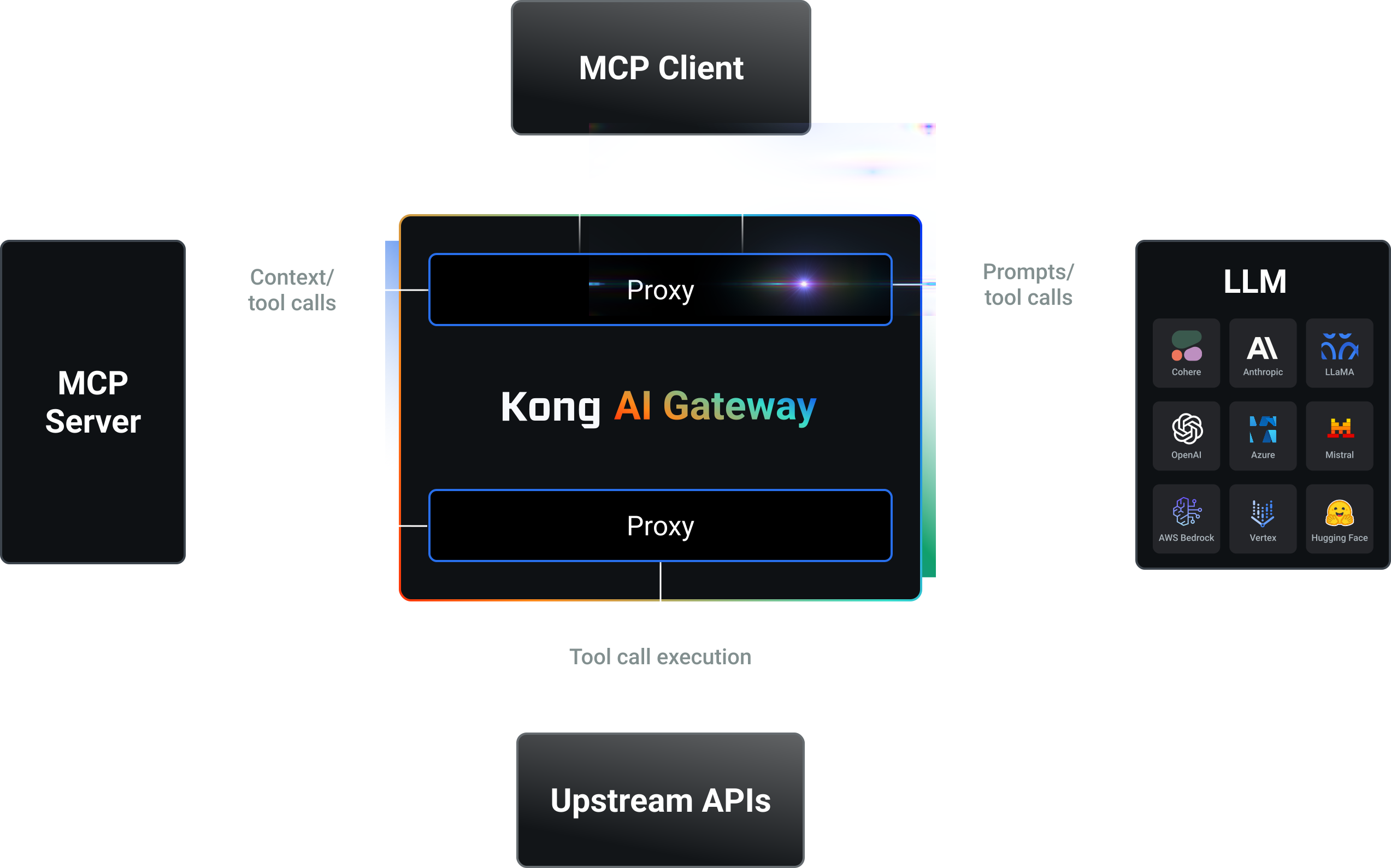
Map APIs to MCP servers using AI Gateway
Turn any API into an MCP server using the AI MCP Server entity. This approach does not require an LLM and provides full control over production workloads.
The AI MCP Server entity:
- Maps REST API endpoints into MCP-compatible tool definitions.
- Aggregates multiple MCP Servers into a single MCP endpoint.
- Integrates with AI assistants like Claude Desktop, Cursor, ChatWise, and other MCP clients.
Apply security, governance, and observability controls to MCP servers
Secure and govern MCP traffic with:
- An AI Auth Strategy (
key-authoropenid-connect) to authenticate AI Consumers, optionally paired with protected resource metadata for MCP-spec OAuth2. - AI metrics and AI audit logs to monitor MCP traffic.
- ACLs to enforce access controls for MCP tool usage.
- The Rate Limiting policy and other traffic control policies to govern usage.
Convert REST APIs into MCP servers using AI Gateway
Explore guides to map REST API endpoints into MCP tools without writing custom code.
Secure and govern your MCP traffic
Apply security, governance, and observability to MCP servers with AI Policies.
Observe MCP traffic
AI Gateway records detailed Model Context Protocol (MCP) traffic data so you can analyze how requests are processed and resolved.
- Logs capture session IDs, JSON-RPC method calls, payloads, latencies, and errors.
- Metrics track latency, response sizes, and error counts over time, giving you a complete view of MCP server performance and behavior.