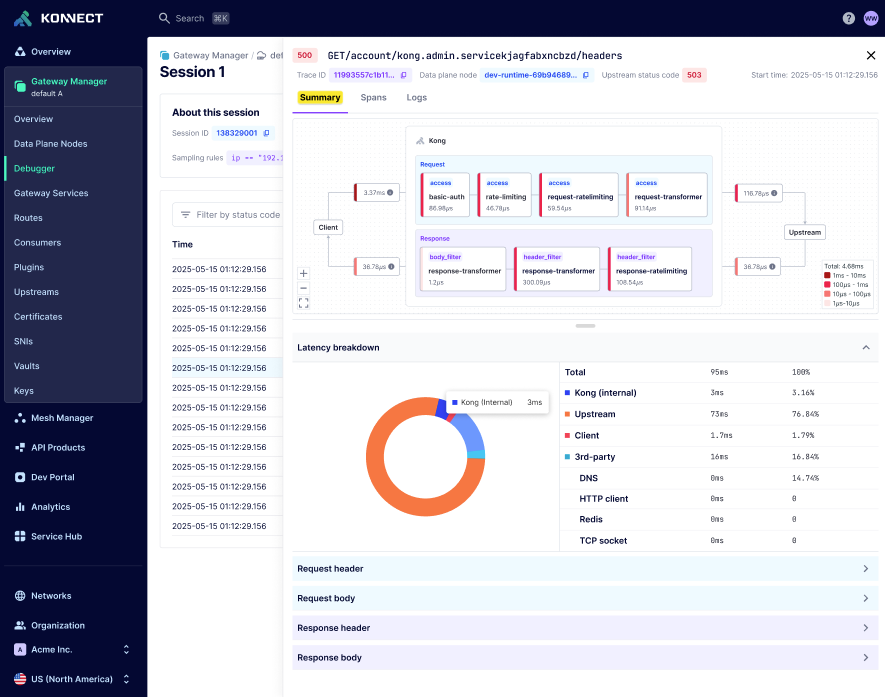
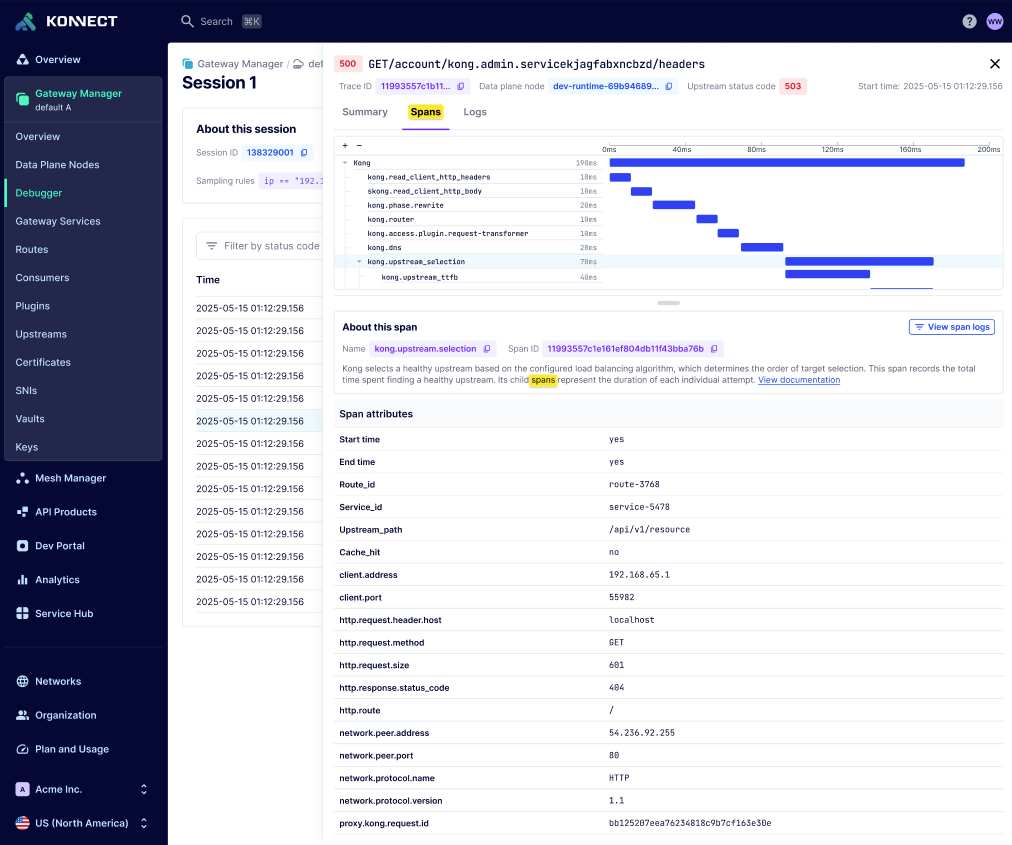
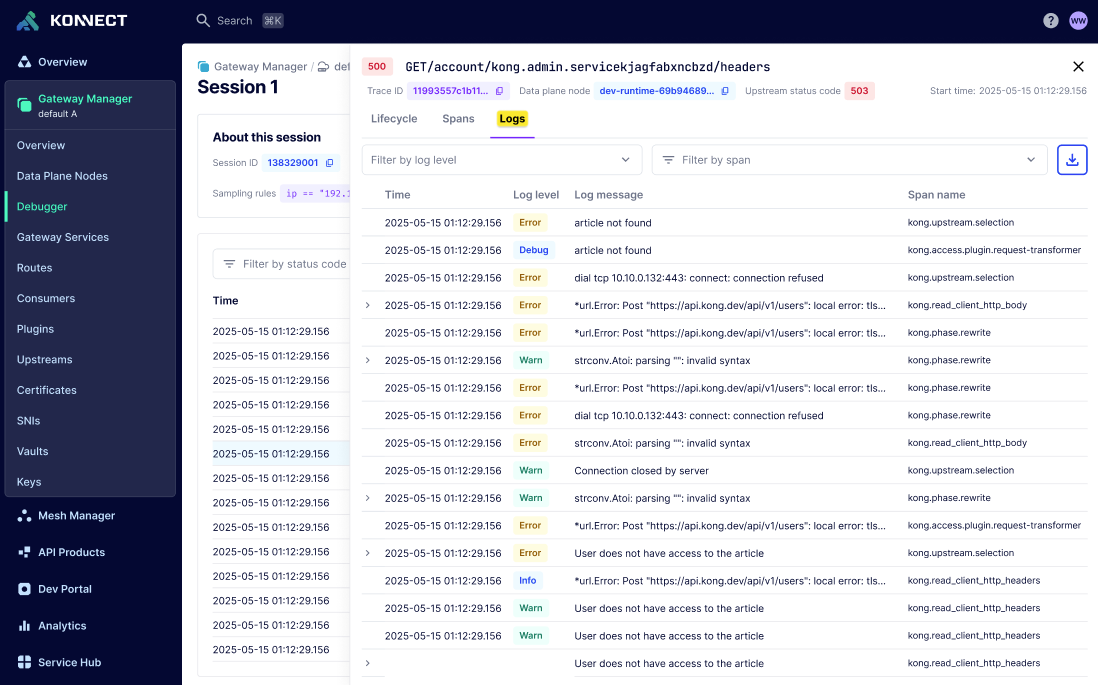
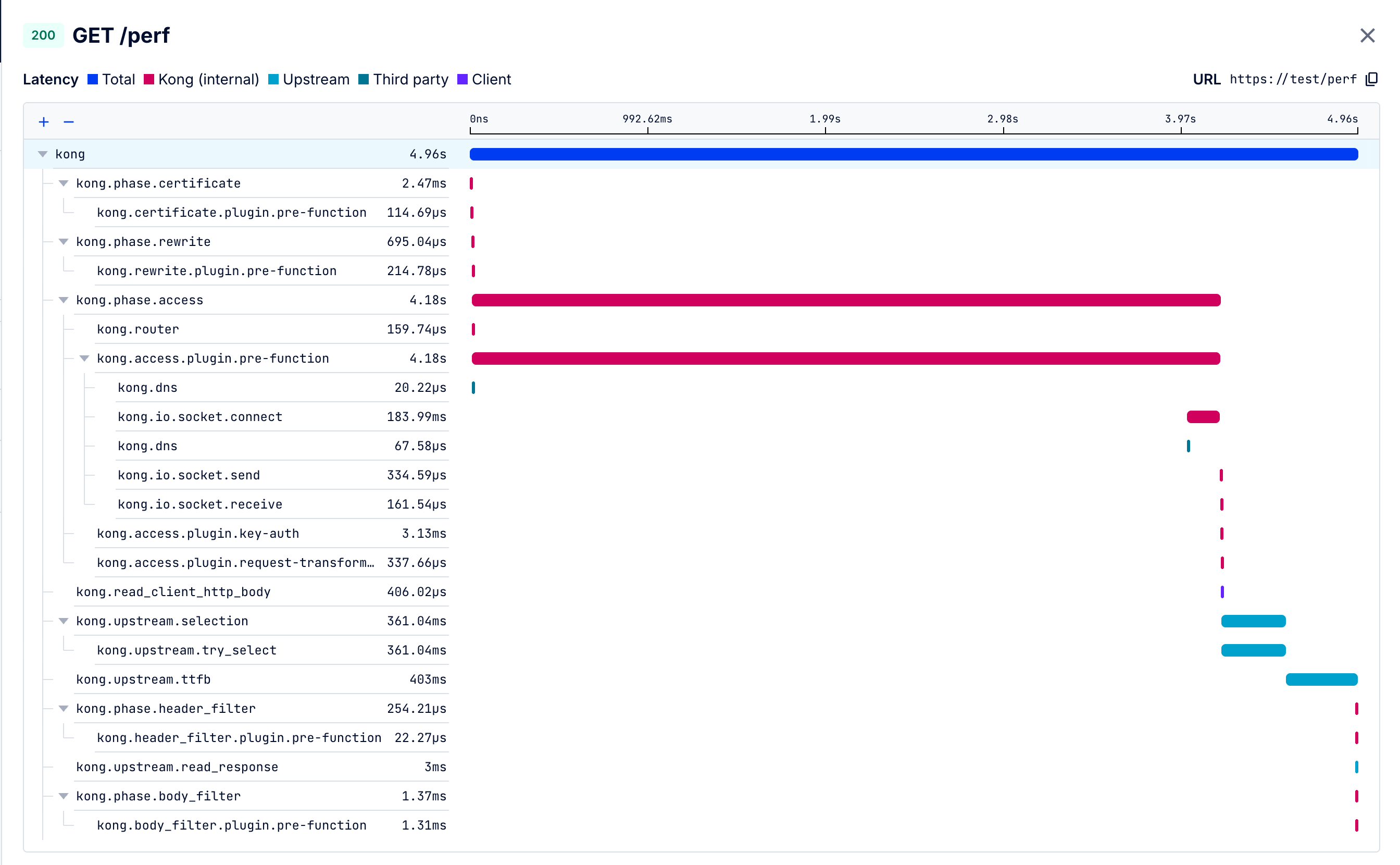
In critical scenarios, having access to payload details can help identify and pinpoint failures.
Payload capture lets you configure a debug session to capture headers and/or body for requests and responses.
Payload capture records the following:
- The client request and response
- v3.14+ The upstream request and response
- v3.14+ Headers and body before and after each plugin runs, including custom plugins
- v3.14+ The contents of calls Kong Gateway makes to third-party dependencies during request processing, such as Redis for rate limiting, an identity provider for token validation, or DNS for resolution
- v3.14+ Gzip-encoded bodies (
Content-Encoding: gzip or x-gzip), automatically decompressed so they appear as readable text
You can use this information to compare the sent request with the received request, and the sent response with the received response, to identify where a failure occurred.
Due to the nature of this telemetry, you must explicitly opt in by signing the Advanced Features Addendum.
Contact your organization admin or your Kong representative to get started.
When you start a debug session with payload capture enabled, the Debugger captures headers and/or body for all requests matching the sampling criteria.
Sampling filters and sanitization run on the data plane before any data is transmitted to Konnect.
The log sanitizer scrubs transactions and redacts sensitive data like credit card numbers from the payload.
Authentication and identity headers (for example, Authorization, API key header values, and Consumer ID header fields) are also masked by default.
Note: The log sanitizer uses the Luhn algorithm, a well-known algorithm to validate credit card numbers, International Mobile Equipment Identity (IMEI) numbers, and other sensitive numerical data. Matched characters are replaced with *.
You can define custom payload masking rules to target specific sensitive data in your requests and responses.
Custom rules let you redact data in both headers and body content.
Header masking rules let you redact the value of specific headers by name.
Body masking rules support two strategies:
- JSONPath (RFC 9535): Target specific fields in JSON payloads using standard JSONPath expressions. This includes support for dot notation (
$.field), bracket notation, wildcards ([*]), recursive descent ($..), array slicing, and filter expressions.
- Regex (PCRE): Match and redact patterns in the raw body content using PCRE-compatible regular expressions.
Matched content is replaced with *.
Note: Custom masking rules are applied in addition to the built-in credit card redaction. The built-in Luhn algorithm-based redaction is always active and cannot be disabled.
When a Route has AI plugins configured, payload capture shows the standard payloads in addition to the AI Gateway details view that shows the prompt at each stage of the pipeline:
- What the client sent
- What each AI plugin did to the prompt, for example PII sanitization or content filtering
- The final prompt sent to the model provider, after all plugins have run
- What the model returned, and how any response plugins transformed it
Use this to confirm guardrails fired, policies were enforced, and transformations produced the prompt you expected.
You can also diagnose why a semantic cache hit or missed, or inspect what a guardrail service returned.
By default, Konnect encrypts captured payloads with a default encryption key provisioned for your org.
You can also configure Konnect to use customer-managed encryption keys (CMEK).
Konnect supports symmetric key encryption and integrates with AWS Key Management Service (KMS).
Debug session payload data is retained for up to 3 days, after which it is purged from Konnect. When you include payload captures in a pin, the pinned copy follows the pin’s retention period.